
Important Notice:
The purchase of one e-book allows activation on 3 different computers.
Procedure:
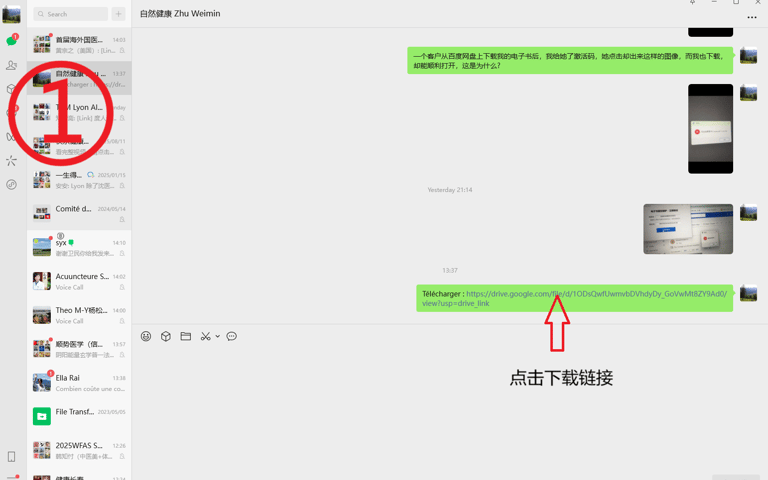
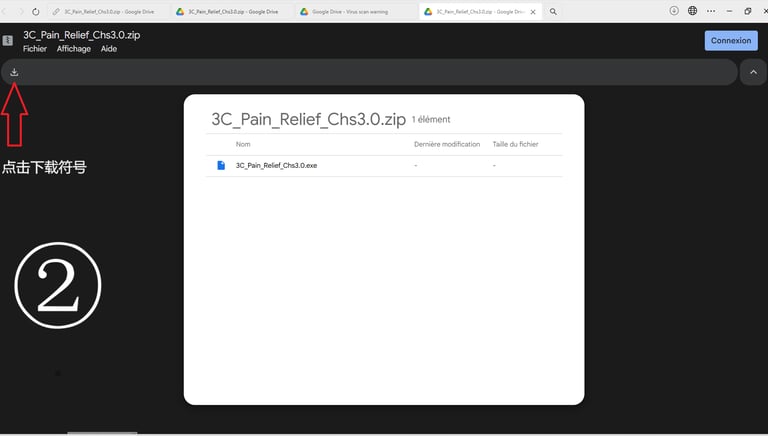
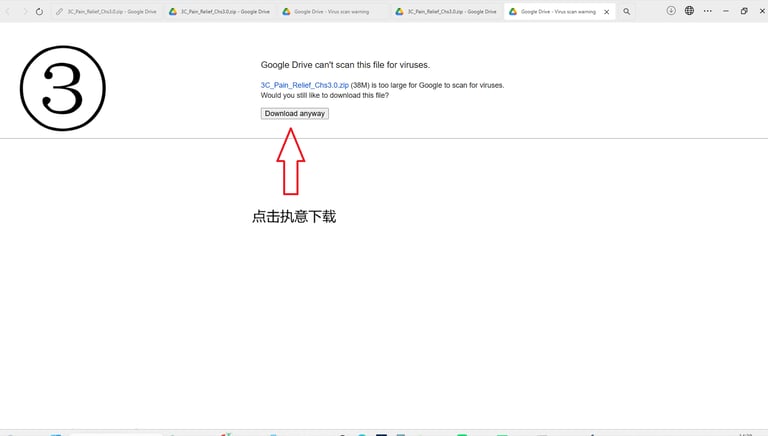
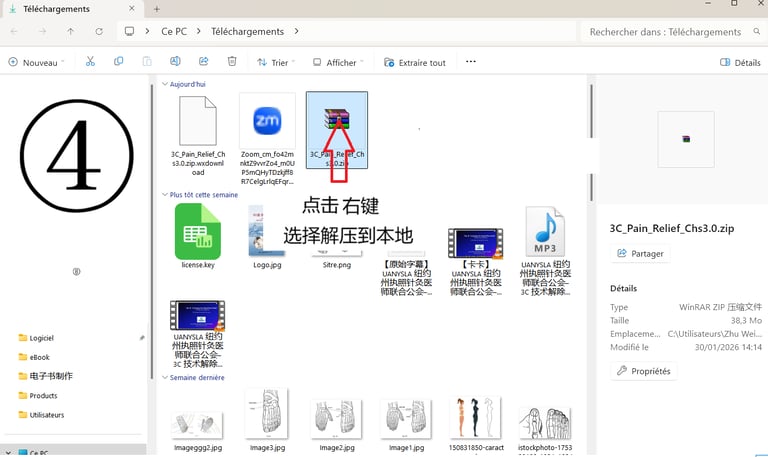
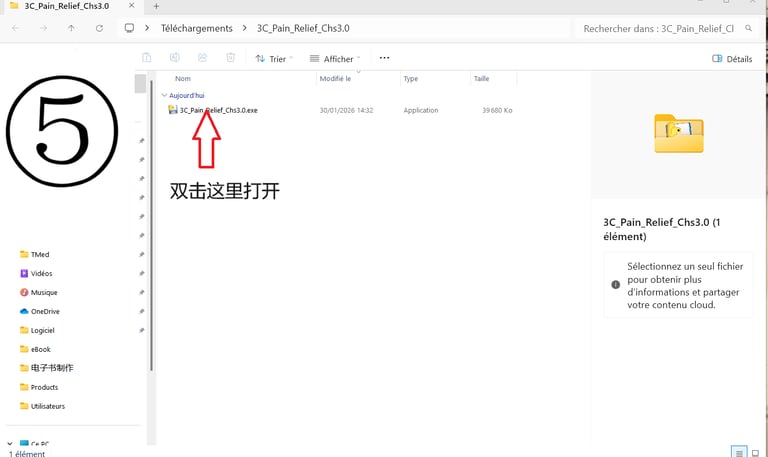
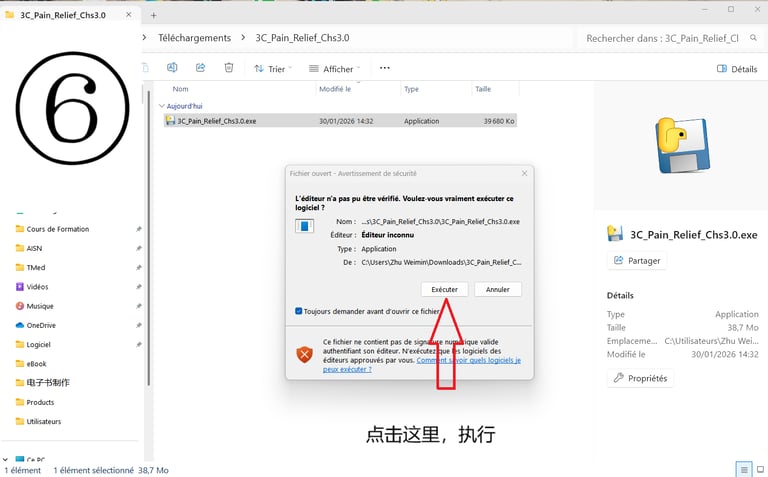
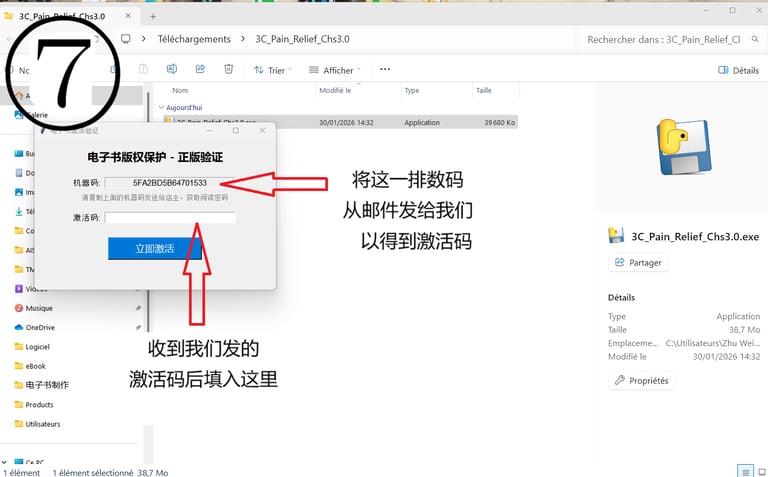
The customer downloads the e-book onto their home desktop computer, extracts the file (no installation required), and opens it by double-clicking. Then, send us Machine Code A at contact@santemtc.com, and we will provide you with Activation Code A. When sending the machine code, please specify whether your system is Windows or Macintosh.If you would like to copy the e-book to a laptop and the message "Not Activated" appears when opening it, please send us Machine Code B from your laptop along with the message: "I am traveling."
After verifying your identity, we will provide you with Activation Code B free of charge.
The same process applies if you change computers.
Validity: Lifetime.
Persons who purchase the e-book are eligible for free updates, may ask questions in the group at no cost and receive satisfactory answers, with ongoing support until they fully master 3C technology.
Once you have completed the e-book and mastered 3C technology, even if you have not attended an in-person training course, you may still be eligible to purchase the 3C clinical software, provided that you post at least 5 clinical case reports in the learning group.
Important notes:
Please open the e-book directly by double-clicking it.
After opening the e-book, the files license.key (activation file) and book_notes.json (your personal notes file) will automatically be generated in the folder.
Do not delete these two small files; otherwise, you may need to reactivate the software or risk losing your notes. Keep them in the same folder as the e-book.
Do not double-click the file directly inside the compressed archive. First extract the files, place them in a new folder, and then run the e-book.
Antivirus interference: Some antivirus programs such as 360 or McAfee may sometimes mistakenly identify the "virtual shell" as a virus and block it, preventing the e-book from accessing its internal files. If errors persist, try temporarily disabling the antivirus software.
Purchase the English e-book: Geometry of Humain Body
Price: €31.30
Click here to pay


Inscrivez-vous à notre newsletter :


Association Internationale de Santé Naturelle
11 Chemin de la Muraz
74520 Vulbens
contact@santemtc.com